
Modules · 13
Dynamic positioning
The DP log, the capability plan, versioned DP checklists and an event report that does not wait for the office.
What it is for
The requirement
IMO MSC.1/Circ.1580 (16 June 2017) · IMCA M 103, M 117Guidelines for vessels and units with dynamic positioning systems. Operations should be conducted within the vessel’s proven capability, with an activity-specific operating guideline, a DP-qualified watch, and records of DP operations and of any loss of position or heading.
A DPO logging a position excursion has about four minutes of attention to spare and a screen that must not ask for anything it could work out. Everything else about DP recordkeeping follows from that: the plan is drawn once, the checklist is versioned so the wording is stable, and the log is prefilled with what the desk already knows.
DP hours belong to the person, not to a position. An officer who stands DP watch on two vessels in a rotation accumulates a record that follows them, which is what an IMCA logbook is for and what a per-vessel system quietly loses.
In detail
What the module does
- The vessel’s own plan, drawn. Thrusters, position reference systems and their arrangement on this hull, laid out on the desk with real colours and the right icons, edited by dragging rather than by filling in a table.
- Versioned DP checklists. The pre-DP, the 500-metre zone entry and the watch handover checks are templates with versions, on the same engine as every other form. A signed one keeps its wording.
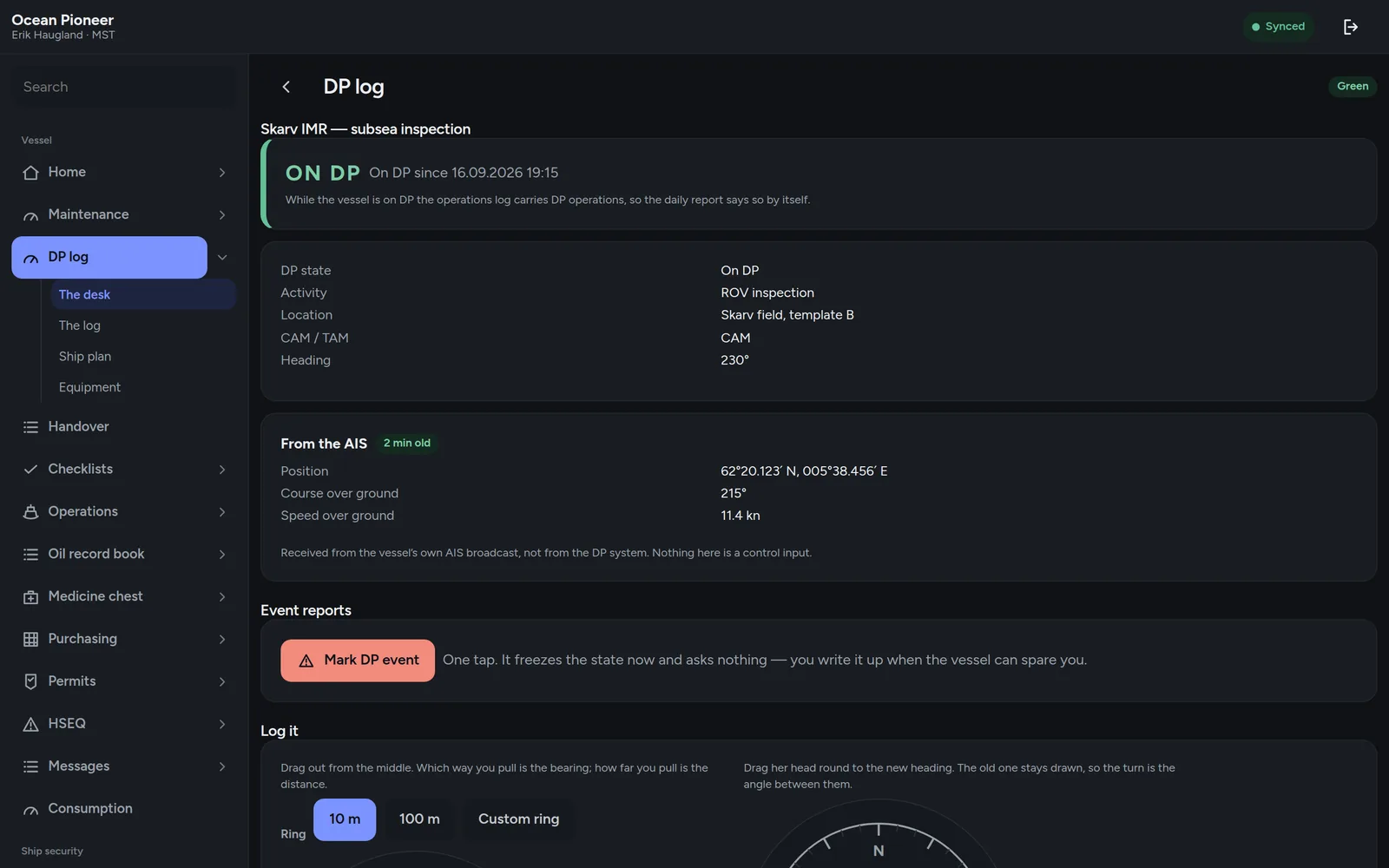
- The DP log per watch. Mode, references in use, environmental conditions and the events of the watch, logged as they happen and readable afterwards in order.
- The event report, raised on board. A loss of position, a reference dropout, a thruster trip — reported where it happened, with the log around it attached, without waiting for an office to open a form.
- Read-only feeds that fail safe. Where the desk reads from another system it does so read-only, and when the feed stops the screen says the feed stopped. It never shows the last value as though it were current.
- DP time on the person. Hours accumulate against the individual across vessels and rotations, which is the record an officer actually needs when renewing.
Screens
What it adds to the app
- DP desk — the plan, the mode, the watch
- DP log — per watch, in order
- The ship plan editor — thrusters and references, by dragging
- DP settings and the checklist versions
The decision
A stale reading is worse than no reading
Every feed on the DP desk fails visibly. If a value cannot be refreshed, the screen says so and shows nothing rather than showing the last thing it saw. This is the opposite of what most dashboards do, and it is not a close call on a DP vessel.
The same rule is applied to the AIS position everywhere else in the product.