
Modules · 19
The fleet office
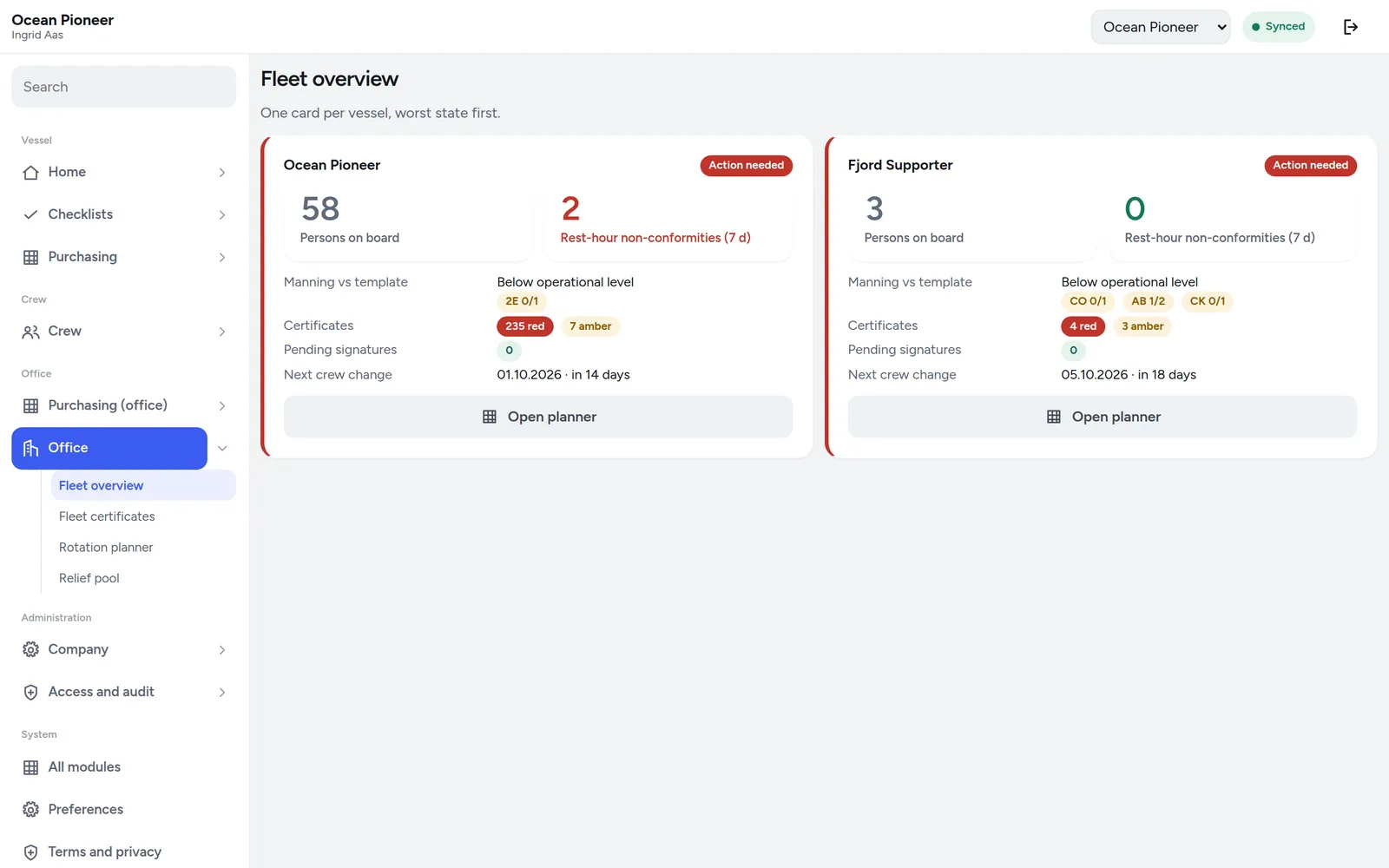
Every vessel on one screen, the certificate matrix across the fleet, the rotation planner and the relief pool.
What it is for
The requirement
ISM Code 12 — company verification, review and evaluationThe company shall carry out internal audits to verify whether safety and pollution-prevention activities comply with the safety management system. An office that can only see what a vessel has emailed cannot verify anything; it can only ask.
An office screen is only worth having if it reads the vessel’s own records. A dashboard fed by monthly reports is a picture of last month, and everybody using it knows that, so they ring the ship anyway.
These four screens read exactly the rows the vessels write. When a chief officer closes a job at sea, the office sees it closed as soon as the vessel has a link — and sees that the link has not come back yet when it has not.
In detail
What the module does
- Fleet overview. Every vessel, where she is and how old that position is, what is overdue, what is due, and when she last synchronised.
- The certificate matrix. Positions down, vessels across, expiry in the cells. The one screen that answers "is anything going to stop a sailing this quarter" in a glance.
- The rotation planner. Who is on, who is off, who is due to change, and which changes collide with a certificate expiring mid-trip.
- The relief pool, ranked. When somebody has to be replaced, the pool is ranked by who actually holds what the position requires, is available, and has sailed this class of vessel — not alphabetically.
- Company administration. Vessels, positions, users, roles, delegations and the audit log, all in one place and all permission-gated.
- Read the vessel, do not interrogate it. Nothing on these screens asks a ship to fill in a report for the office. Every figure is derived from work the vessel was doing anyway.
Screens
What it adds to the app
- Fleet — every vessel, position, and what is outstanding
- Certificates — the matrix across the fleet
- Planner — rotations and the changes ahead
- Pool — relief candidates, ranked
The decision
The office is a reader
Almost everything the office does here is reading. The writes it has — creating a vessel, inviting a user, publishing a notice, setting the purchasing policy — are the ones that are genuinely the company’s rather than the ship’s.
Any office feature that would have required the vessel to do extra work so the office could see something was rejected. There are no reports to file in this product.